Articulated Name Keychains: How Print-in-Place Joints Work
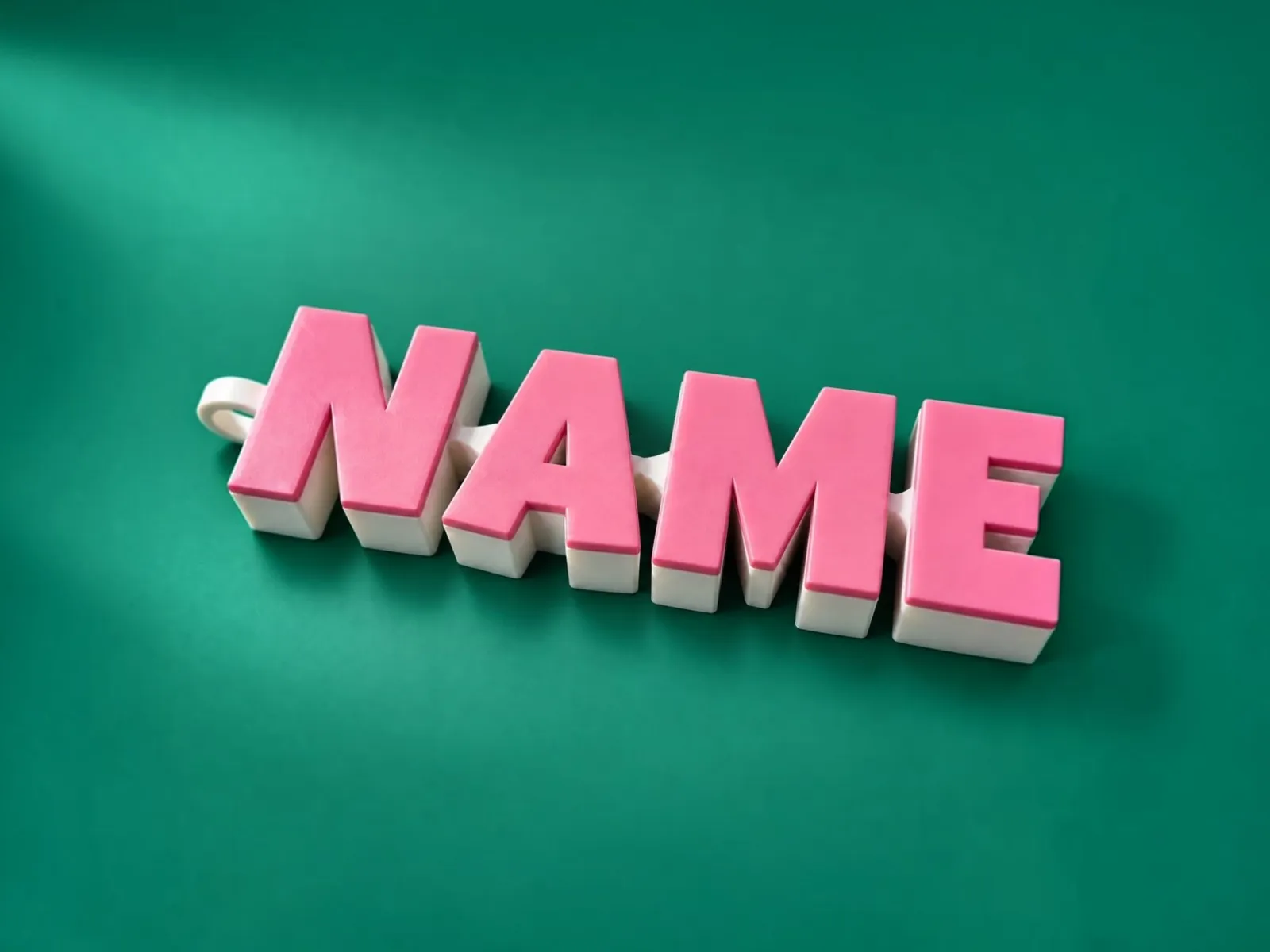
An articulated keychain is a name whose letters are linked by captive joints, so it bends and moves like a toy but prints in one go. It is a popular first project, and also one where the printer’s accuracy matters: a joint that is slightly too tight fuses and will not move. This guide explains how the Keychain tool builds it, how to print it and how to tune your settings.
What “print in place” means
Each letter is its own part, and the parts are linked by captive joints: a ball or pin held in a socket with a small gap around it. Because the gap is there in the model, the pieces print already connected and move freely when you free them. You do not assemble anything. The gap, called the joint clearance, is the key number.
Settings in the tool
- Letter height: the size of the letters.
- Body thickness: how thick the keychain is. Thicker is stronger and heavier.
- Joint clearance: the gap in the joints.
- Keyring loop: an optional loop for a ring.
- Font: 6 outline fonts or 29 illustrated multicolor fonts.
Type a name with letters A to Z and numbers 0 to 9. Lowercase letters become uppercase, and spaces add a gap while keeping the chain connected. Some illustrated fonts have no digits or miss a few letters, and the designer tells you which.
Choosing a font
| Type | Look | Colour printing |
|---|---|---|
| Outline fonts (6) | Bold, clean letters | Simple: few filaments |
| Illustrated fonts (29) | Hand-drawn alphabets with artwork on each letter | Multicolor: the designer lists how many filaments the name needs |
For a first print, choose a bold outline font and a short name. Illustrated fonts are lovely but use more filaments and take longer.
Printing it
- Import the file in millimetres and keep it flat on the bed.
- Start with a 0.4 mm nozzle and 0.16 to 0.20 mm layers.
- Keep the joint gaps clear of supports and brim; do not add supports inside the joints.
- Print a short name first, to test the joints before a long name.
- If a joint is stiff or fused, increase the joint clearance in the tool.
Tuning clearance
| Result | Change |
|---|---|
| Joints are fused or very stiff | Increase the joint clearance in steps of 0.05 mm. |
| Joints are loose and rattle | Reduce the clearance a little, or print slower. |
| It works but sticks in some letters | Check that your printer is calibrated; see calibrate your printer for tight fits. |
Colour
For colour, download the 3MF. The body and each face colour are separate parts already assigned to filaments, and it opens in Bambu Studio, OrcaSlicer and Cura; there is a PrusaSlicer version too. An STL is the whole model in one colour. The designer lists how many filaments the name needs, and layers with matching colours share a filament.
Making a strong keychain
- Choose a body thickness that suits daily use: thicker bodies survive a pocket better.
- Keep the keyring loop at the end of the chain, with the loop wall thick enough not to crack.
- Use PETG if the keychain will be carried every day; it flexes more before it breaks.
- Do not make a very long name for a keychain; a long chain flops and tangles.
Troubleshooting
| Problem | Likely cause | Fix |
|---|---|---|
| A letter will not bend | Fused joint | Increase joint clearance; free the joint by flexing it |
| The chain feels loose and rattles | Clearance too large | Reduce clearance and print more slowly |
| The first layer curls | Bed adhesion | Clean the bed, use a brim away from the joints |
| Stringing in the gaps | Retraction too low or damp filament | Dry the filament, tune retraction |
Questions people ask
Which files can I download?
An STL with the complete articulated model, or a 3MF where the body and every face colour are separate parts already assigned to filaments. All files use millimetres.
How should I print it?
Import in millimetres and keep it flat. Use a 0.4 mm nozzle and 0.16 to 0.20 mm layers, keep the joint gaps free of supports and brim, and print a short name first.
Which characters are supported?
Letters A to Z and numbers 0 to 9. Lowercase letters become uppercase, and spaces add a gap while keeping the chain connected.
Can I use PETG?
Yes. PETG is tougher than PLA, but it can fuse joints more easily, so you may need a slightly larger joint clearance.
Keep reading
 Multicolor 3MF Files: How to Print Names in Colour in Bambu Studio, OrcaSlicer, Cura and PrusaSlicerWhat a multicolor 3MF is, how each slicer reads it (Bambu Studio, OrcaSlicer, Creality Print, Cura, PrusaSlicer), how many filaments you need and what to do on a single-colour printer.
 Calibrate Your Printer for Tight Fits: Strips, Joints and LampholdersHow to measure and fix dimensional accuracy so printed slots, dovetails, joints and lampholder bores fit: calibration prints, flow, first layer, horizontal expansion and clearance.
 3D-Printed Name Beads and Charms: Cord Holes, Colours and PrintingMake letter beads and charms for bag charms, keychains and bracelets: choose the style, cord hole size, colours and charms, and print without supports.
Written and checked by the Volucore team against the behaviour of our tools. Spotted a mistake or something out of date? Tell us and we will fix it.