How to Stop Warping and Corner Lift in 3D Printing
Warping is when the corners or edges of a print curl upwards and separate from the plate while the rest of the print is still going. It is the main reason long, flat parts such as lids, sign backs and plates fail. It is a cooling problem, and you can reduce it with a few setting changes and with the shape of the model.
Why plastic warps
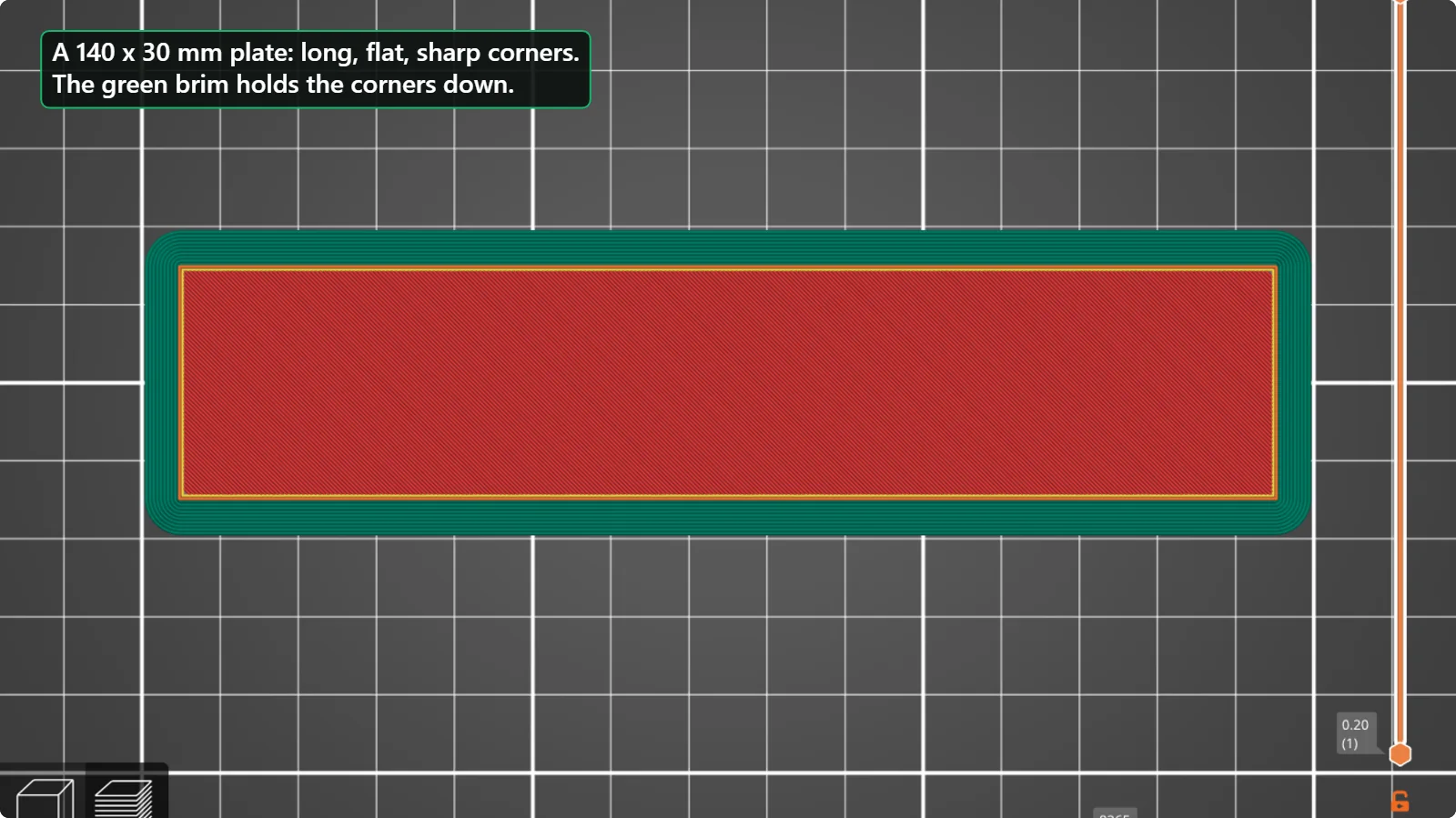
Plastic shrinks a little as it cools. The layers on top are still warm while the layers underneath have already cooled and tried to shrink, so the part pulls itself inwards and its corners lift. Long straight edges and sharp corners concentrate the pull, which is why a flat rectangle is the classic warp-prone shape. Materials such as ABS and ASA warp more than PLA, and any material warps more in a cold, draughty room.
What to change, from easiest to hardest
1. Add a brim
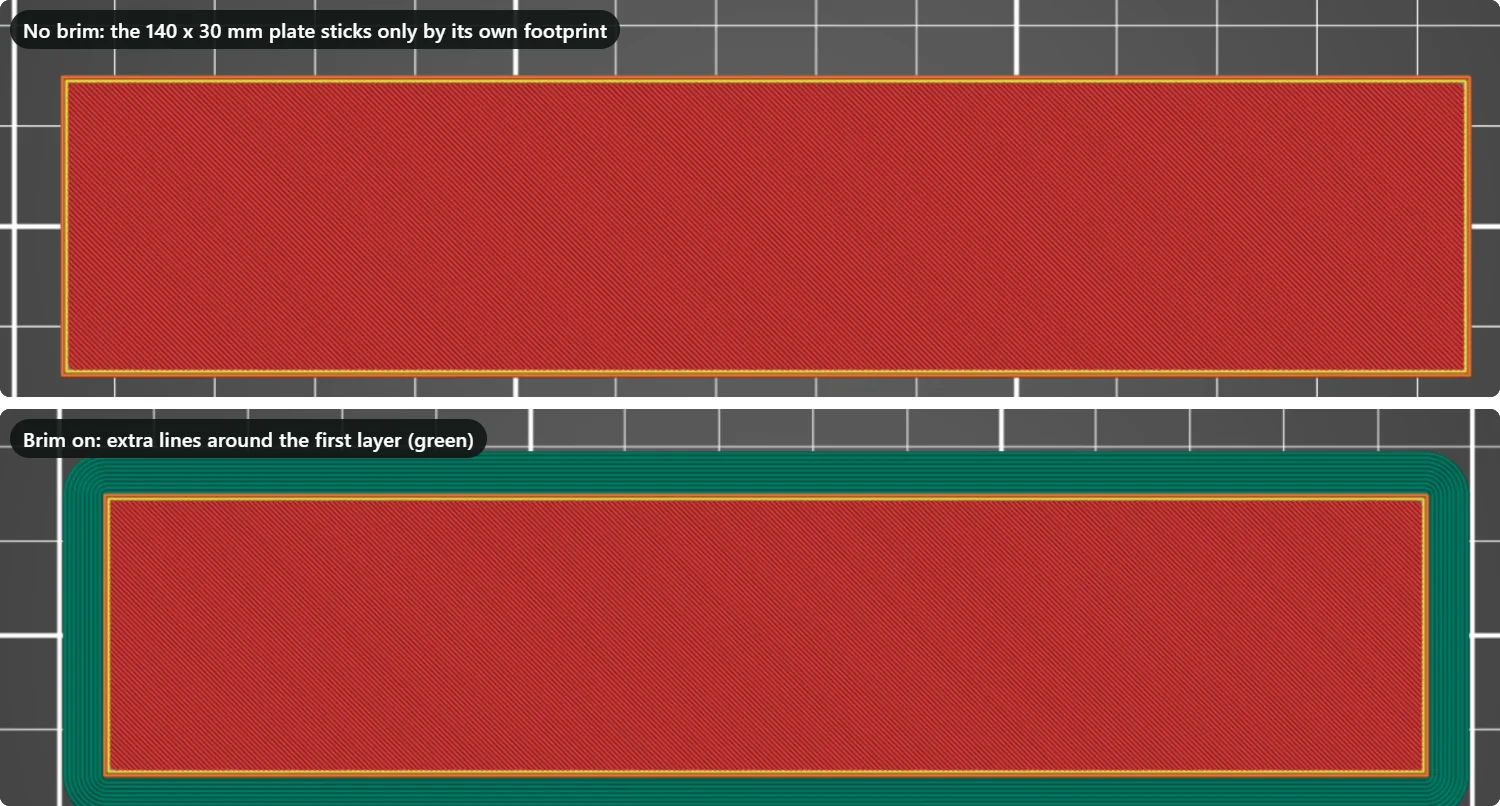
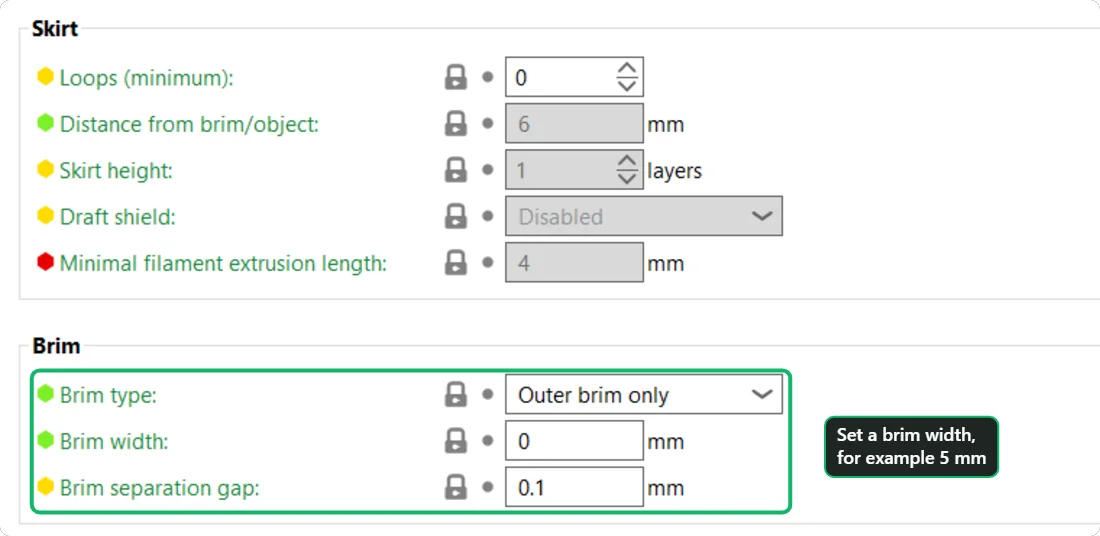
A brim widens the first layer, so the corners are held down by more plastic and are harder to peel. Tick “Brim” in PrusaSlicer’s right-hand panel and set a width in Print Settings > Skirt and brim, or choose a Brim type in Bambu Studio and OrcaSlicer. Five to ten millimetres is a common starting range.
2. Keep the bed at the right temperature
A warm bed keeps the lowest layers soft and stuck while the rest of the part grows. Use the value in your filament profile (60 °C for the PLA profile we looked at) and do not lower it to save energy.
3. Turn off cooling for the first layers
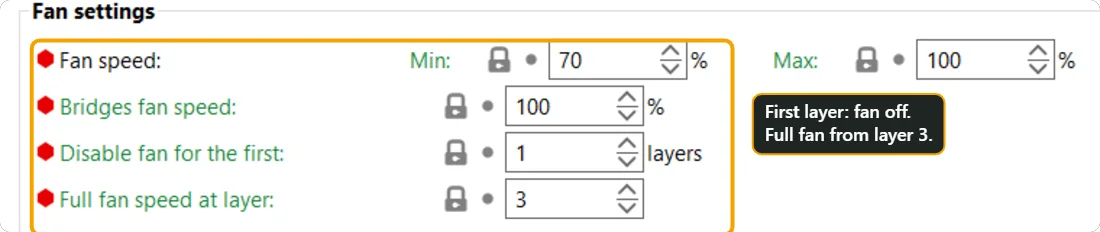
The part-cooling fan blows air on the freshly printed plastic. For the first layer that is the opposite of what you want. Both slicer profiles we looked at do this by default; check that nobody changed them.
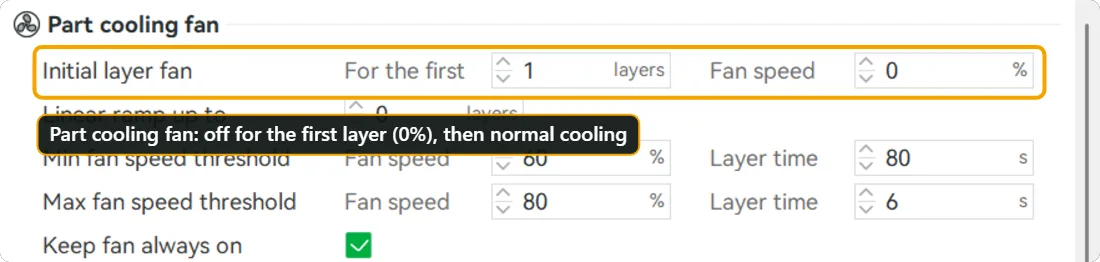
4. Stop draughts
A window, a fan or an air conditioner blowing on the printer cools one side faster and makes warping worse. Move the printer, or put a cardboard shield around it. Materials that warp a lot (ABS, ASA, nylon) are best printed in an enclosure.
5. Change the orientation
Stand a long plate on its edge only if the design allows it. Otherwise lay it flat and cut it into shorter pieces; a small piece warps much less than a long one.
6. Change the shape
Rounded corners are held down better than sharp ones. If you design your own model, add a radius of a few millimetres to the corners of a flat part, and avoid big flat areas without any ribs or holes.
How much each material warps
| Material | Warping | Typical bed temperature | Notes |
|---|---|---|---|
| PLA | Low | 55 to 65 °C | Rarely needs an enclosure; a brim handles long flat parts. |
| PETG | Low to medium | 70 to 85 °C | Sticks very well; warping is usually mild. |
| ABS and ASA | High | 90 to 110 °C | Print in an enclosure and keep the fan low. |
| Nylon and polycarbonate | Very high | Follow the maker | Enclosure and a dry spool; use a brim on everything. |
A quick warping test
Print a long, thin rectangle, for example 150 x 20 x 3 mm, without a brim. If the corners lift, add a brim and print it again; if they still lift, raise the bed temperature by 5 °C and make sure no draught reaches the printer. When the rectangle stays flat, your settings will hold the real part too.
Questions people ask
Does PLA warp?
It can, especially on long, flat parts on a cold bed, but much less than ABS or ASA. A brim and a warm bed are usually enough.
Is warping the same as the first layer not sticking?
They are related. If the corners lift after a few layers, it is warping. If the print never stuck in the first place, see the guide on first-layer adhesion.
Should I print with an enclosure?
For PLA you can print without one. For ABS, ASA, nylon and polycarbonate an enclosure makes the difference between a flat part and a curled one.
Keep reading
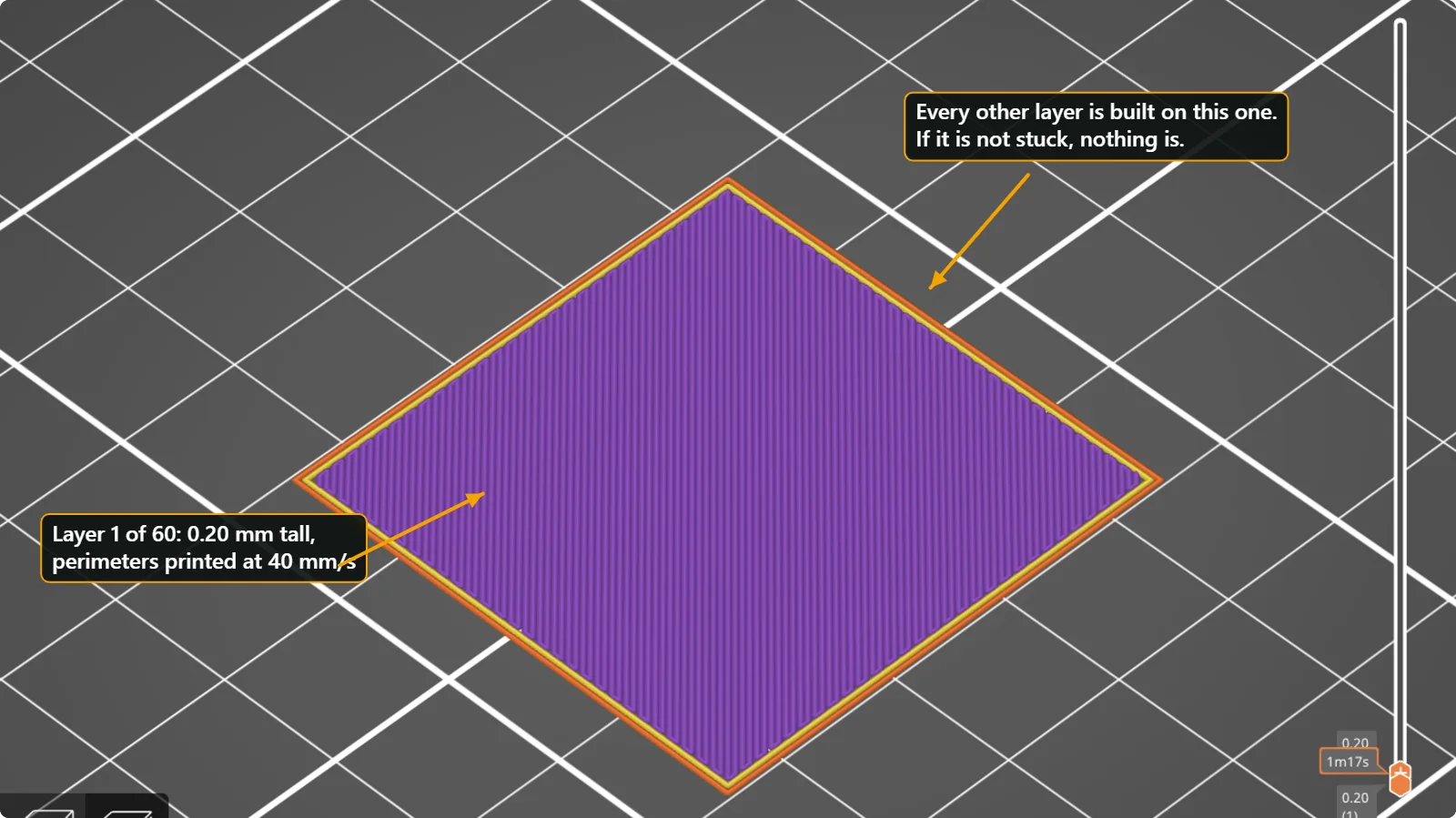 3D Print Not Sticking to the Bed? 7 Fixes for First-Layer AdhesionWhy a 3D print lifts, slides or never sticks to the build plate, and the order in which to check it: clean plate, first-layer height, bed temperature, brim, fan, speed and part orientation, with real slicer screenshots.
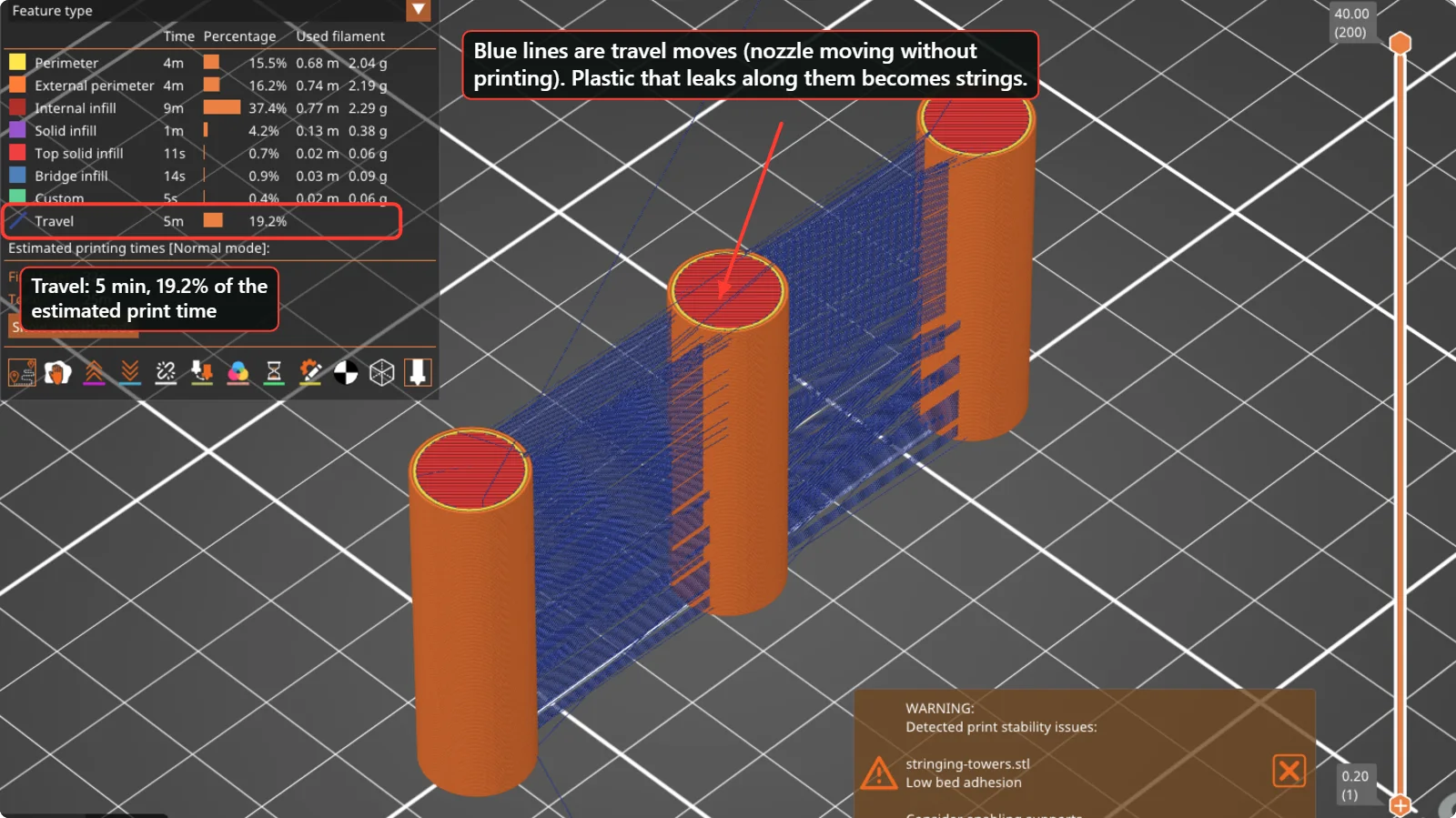 How to Fix Stringing and Oozing in 3D PrintsThin hairs between parts are caused by plastic leaking while the nozzle travels. Check wet filament, temperature, retraction and travel moves in this order, with real PrusaSlicer and Bambu Studio settings.
 3D Printing Glossary: The Terms Used in Our GuidesPlain-language definitions of 3D printing terms: bed, perimeter, infill, layer height, slicer, bridging, supports, brim, clearance, STL, 3MF, dovetail, diffuser and more.
Written and checked by the Volucore team against the behaviour of our tools. Spotted a mistake or something out of date? Tell us and we will fix it.