Open Edges and Broken Meshes: How to Fix 3D Model Errors Before Slicing
A 3D printer needs a solid object. An STL file stores only the outer skin of a model, as a net of triangles. If the net has a hole in it, the slicer cannot tell what is inside and what is outside. The result can be missing walls, strange fill or a print that looks nothing like the preview. These errors are common in models downloaded from the internet, and they are easy to spot.
What “watertight” means
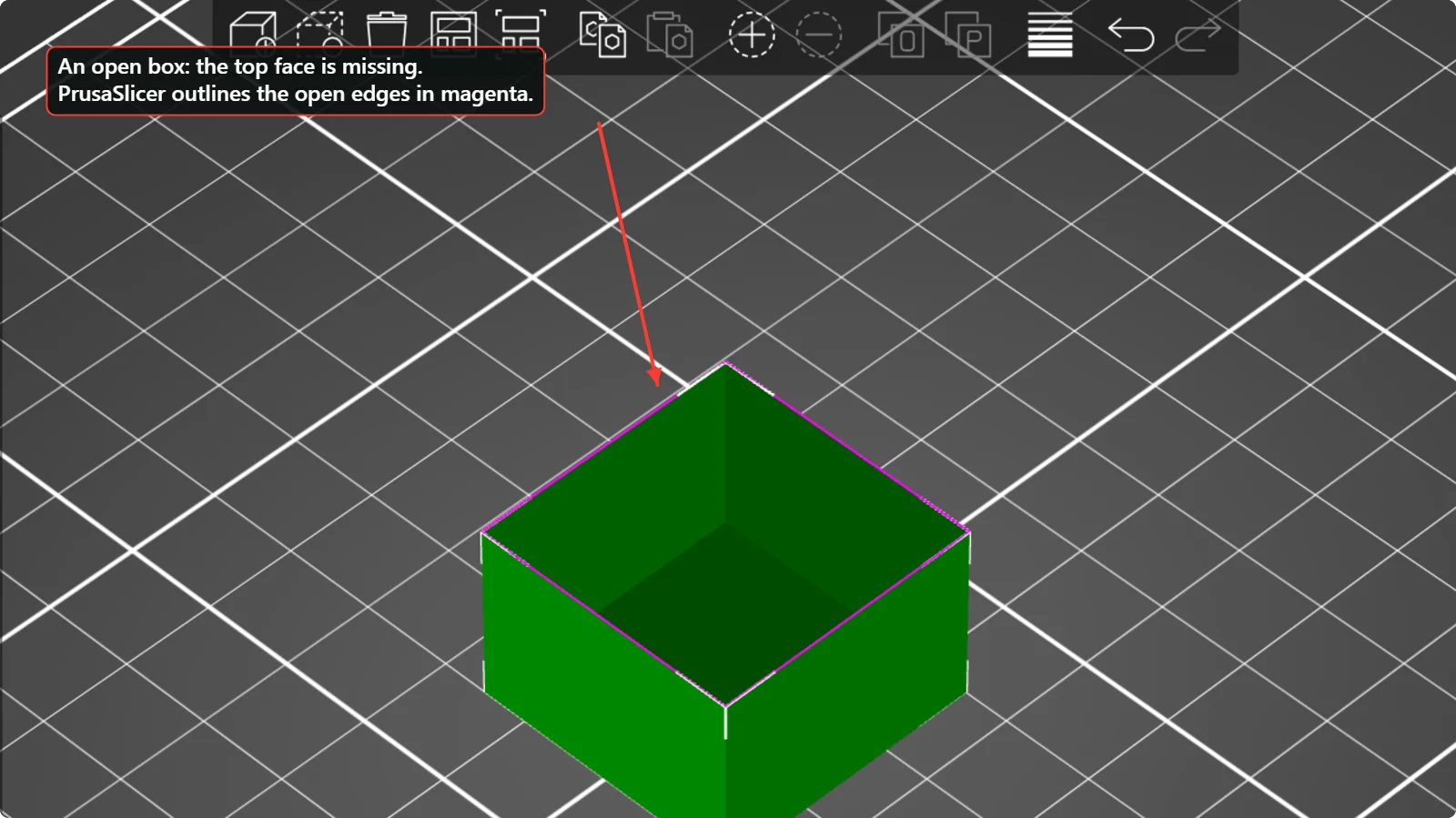
Think of a balloon. A watertight mesh has no holes, so water cannot get in. Each edge of a triangle is shared by exactly two triangles. An edge that belongs to only one triangle is an open edge, and an edge shared by more than two is a non-manifold edge. Both are mesh errors. A closed cube is made of 12 triangles. Delete its top face and four open edges appear. The picture above shows exactly that: a box built from 10 triangles, with the four open edges outlined in magenta by PrusaSlicer.
How the slicers tell you
Both slicers count the problem. PrusaSlicer shows a warning icon and “4 open edges” in the Info panel of the selected object. Bambu Studio shows “Info: 4 open edges” and a green “Repair” link.

What the slicer does when it slices a broken model
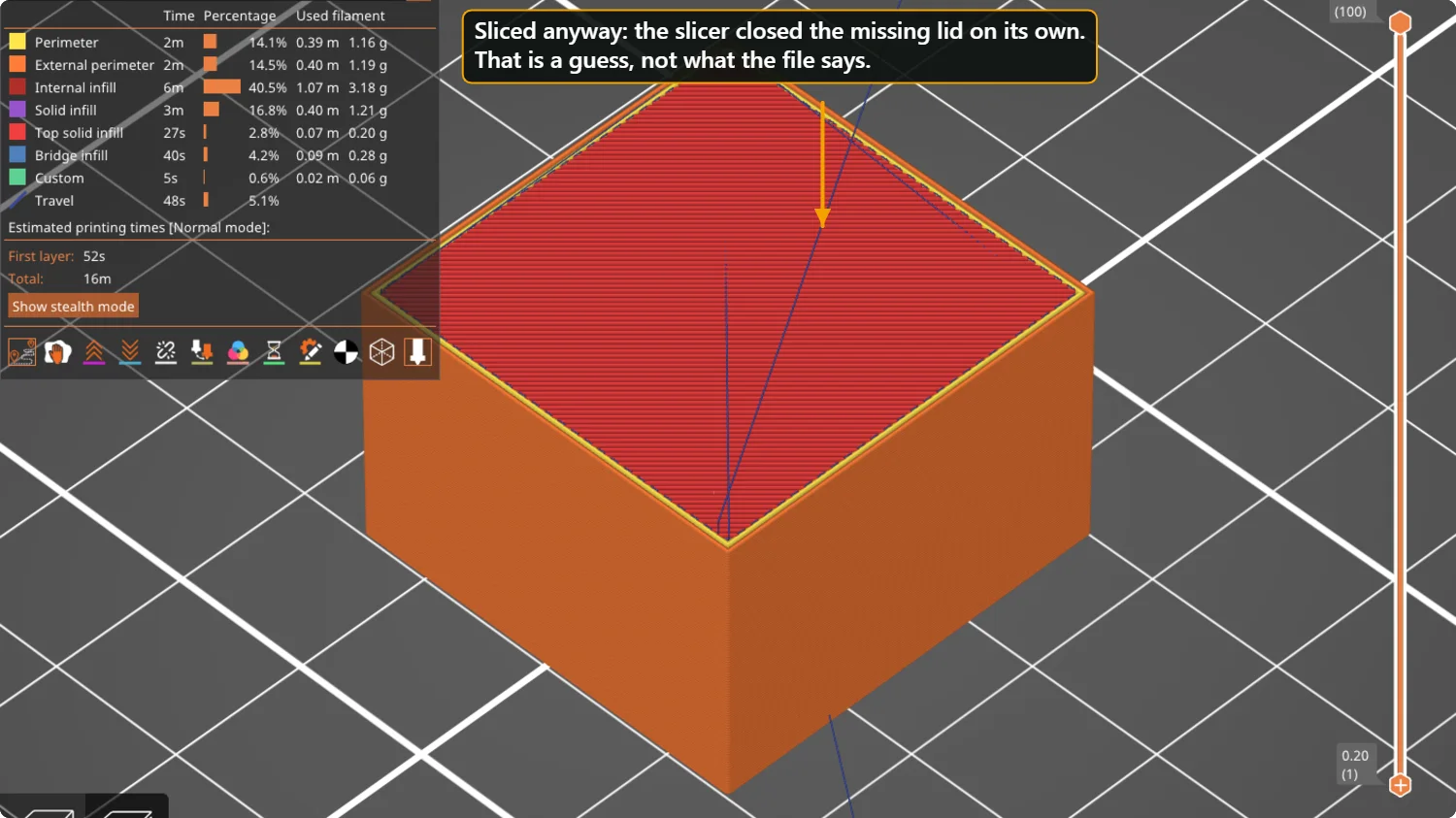
We sliced the open box anyway. PrusaSlicer closed the missing lid on its own and printed a normal solid top. That is the slicer’s guess, and in this simple case it is a good one. In a more complicated model the guess can be wrong, and you may get missing walls or filled holes where you wanted none.
How to fix it
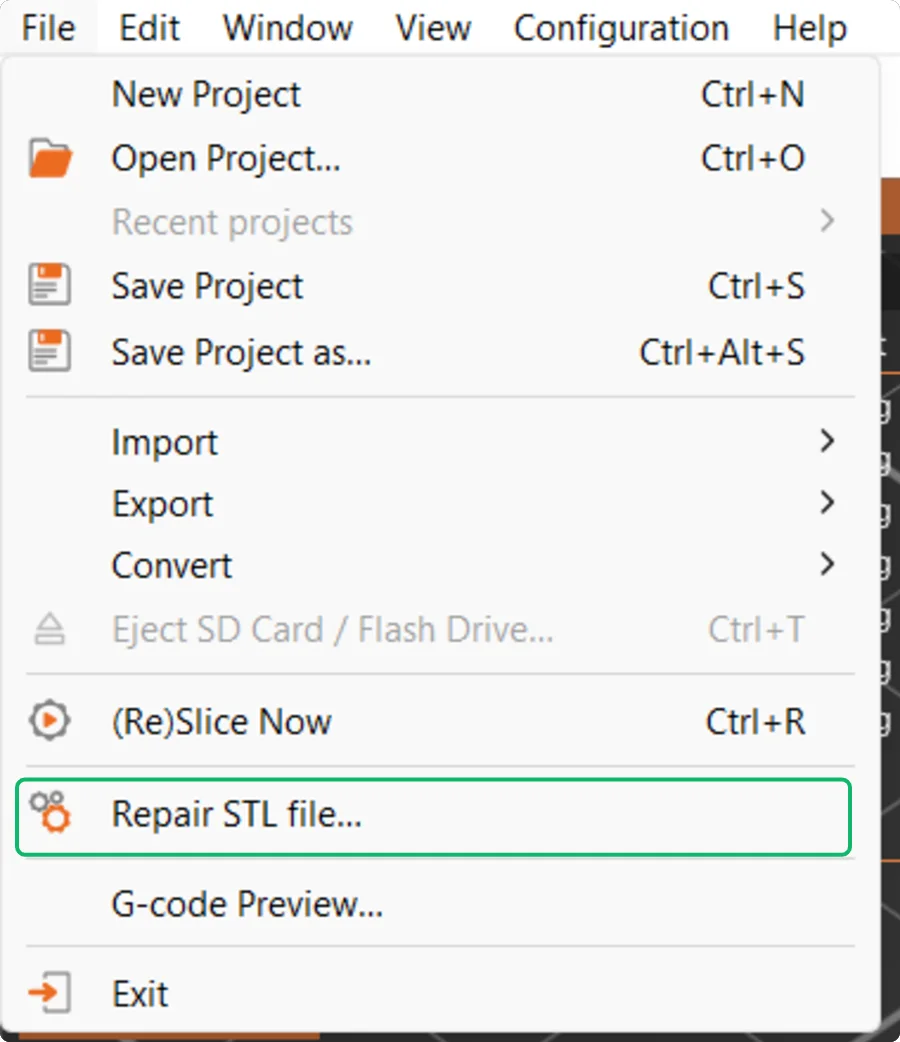
- Use the slicer’s repair. In Bambu Studio click “Repair” next to the warning. PrusaSlicer repairs small errors automatically when it opens the file, and its File menu has a “Repair STL file…” entry for the rest.
- Re-export the model. If you made it in CAD or a modelling program, export it again as a single solid. Check that parts do not intersect, and that every surface has thickness. A single-sided surface (a plane) has no inside.
- Try a repair program. Blender with the 3D-Print Toolbox add-on finds non-manifold edges and fills holes. Microsoft 3D Builder, on Windows, offers an automatic repair when it opens a damaged file.
- Look at the layers. Even if the warning is gone, check the layer preview. Scrub through the layers and look for gaps in a wall, or an area filled where it should be empty.
Typical causes
| Cause | Symptom | Fix |
|---|---|---|
| Missing faces | Open edges, holes in the preview | Repair, or re-export |
| Overlapping parts in one file | Strange fill, doubled walls | Merge them into one solid before export |
| Zero-thickness surfaces | Walls vanish in the slice | Give the surface thickness in the design program |
| Flipped normals | Parts look dark or inside out | Recalculate normals in the editor |
| Very small gaps | Seams or tiny holes | Repair, or thicken the area |
Preventing errors at the source
- Export as one closed solid. In a CAD or modelling program, merge overlapping parts before you export instead of leaving them as separate bodies.
- Keep the units right. Set the export unit to millimetres, so you do not meet the size error from the previous guide.
- Be careful with scans and sculpts. Models made from a 3D scan or by sculpting often have many small holes; use the repair step on them every time.
- Download from reliable sources. Check the model page for sliced previews, and read the comments for reports of broken files.
Questions people ask
My slicer says “errors detected” but the preview looks fine. Is it safe?
Often yes, because slicers fix small problems silently. Check the layer preview before printing; if the layers look right, the print will be fine.
What is a non-manifold edge?
An edge where more than two triangles meet, or where one triangle has no neighbour. It means the surface is not a clean skin around a volume.
Can a 3MF file have the same errors?
Yes. A 3MF stores a mesh too, so the same checks and repairs apply.
Keep reading
 STL, 3MF, SVG, DXF: Which File Do You Need for 3D Printing?What each file format stores, what it is for, which of the Volucore tools export it, and how to choose between STL and 3MF for printing, and SVG and DXF for templates and laser cutting.
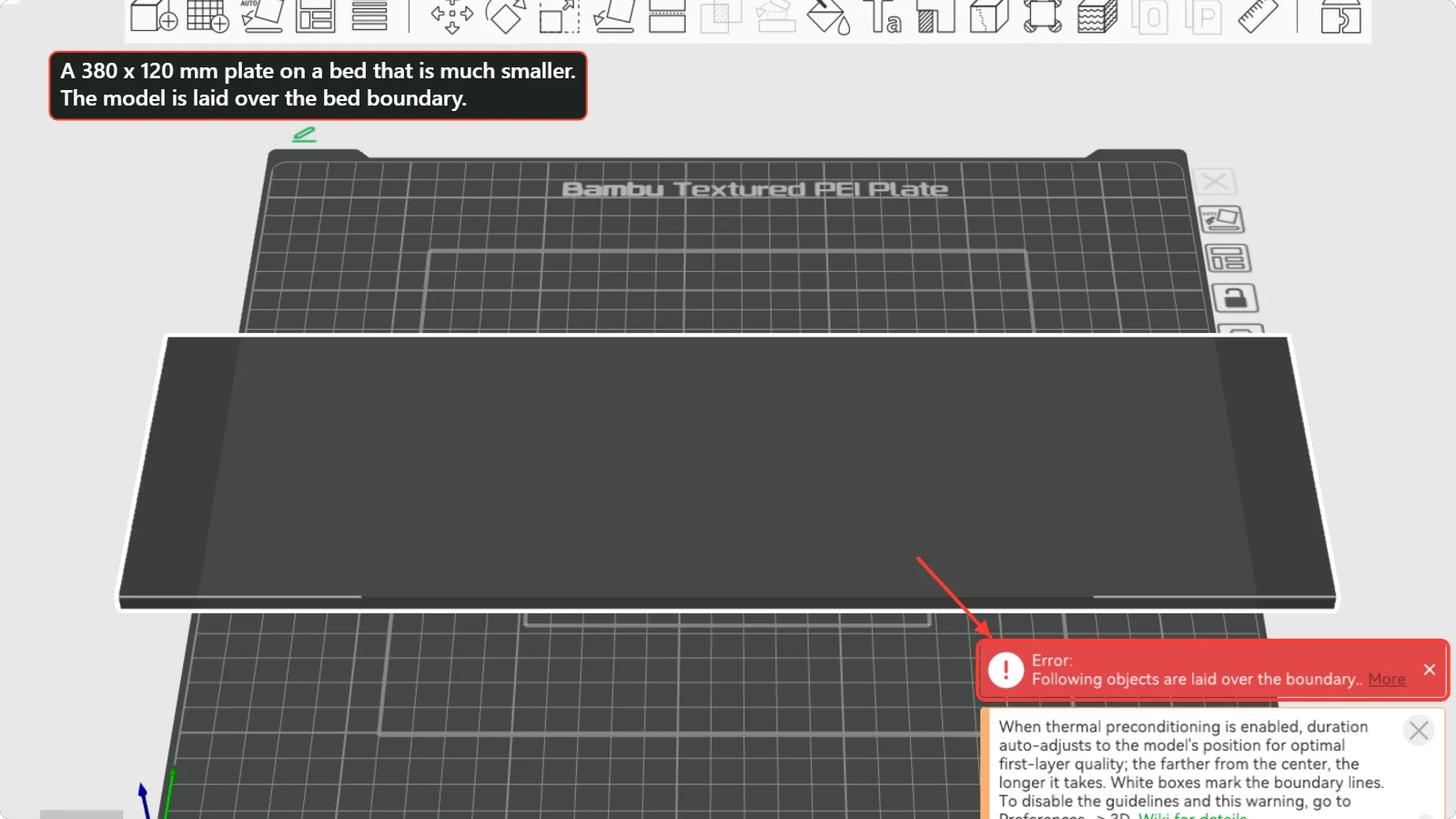 Model Too Big for Your 3D Printer Bed? Rotate, Scale or Cut ItWhat to do when the slicer says the model is laid over the bed boundary: rotate it, check the units, scale it, or cut it into pieces with the cut tool and join them again. Steps shown in Bambu Studio and PrusaSlicer.3D Printing Glossary: The Terms Used in Our GuidesPlain-language definitions of 3D printing terms: bed, perimeter, infill, layer height, slicer, bridging, supports, brim, clearance, STL, 3MF, dovetail, diffuser and more.
Written and checked by the Volucore team against the behaviour of our tools. Spotted a mistake or something out of date? Tell us and we will fix it.